
This web site is under construction and contains details of products that will become available in 2024. Details of current DryFire products may be found at: www.dryfire.com
DPS: DryFire Projection System
DPS is the projection version of the DryFire system and is an alternative to DLS (DryFire Laser System) which generates targets as moving spots of laser light against a plain wall or screen.
Working with a PC data projector DPS displays photo-realistic targets and backgrounds while providing accurate feedback directly in front of you on the screen or wall - no need to look at the PC screen.
The photo below shows a DPS setup in Wordcraft's demonstration room. The projector is on the floor directly in front of the central stand.

Note about PC data projectors
DPS requires a PC data projector and screen - or suitably painted wall.
Please click here for a specification for a suitable projector
Google for "projector paint" if you are thinking of using a wall.
Important note:
Wordcraft does not provide projectors or screens - these may be sourced locally.
What does DPS consist of?
The DryFire Projection System (DPS) consists of:
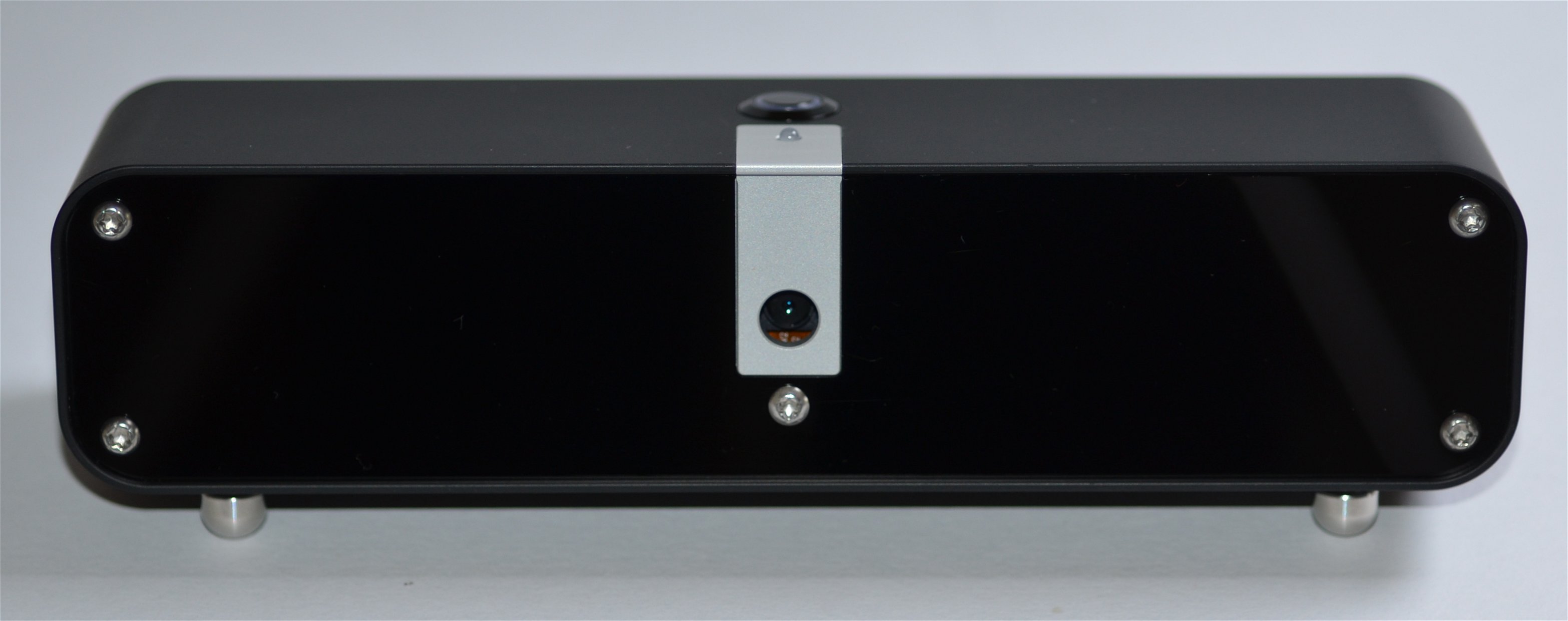
- The DPS Sensor Unit (DPS-SU) - shown above and below.
- A USB charging cable.
- The Standard Gun Assembly (SGA) for mounting under your shotgun barrel.
- The DryFire wrap round trigger switch for mounting to your trigger blade.
The optional TS22 trigger switch is available for those who prefer a switch mounted behind the trigger blade to give a more realistic "trigger feel".
- The projection version of the DryFire software to project backgrounds, targets and feedback directly in front of you as you shoot.
The DPS Sensor Unit (DPS-SU)
DPS-SU is a "shot detector", it is not a projector. It detects when and where you fired a shot.
When you "shoot" with DryFire the Standard Gun Assembly (SGA) sends out a very short pulse of infrared laser light which is reflected off the wall or screen and detected by the cameras inside the DPS-SU.
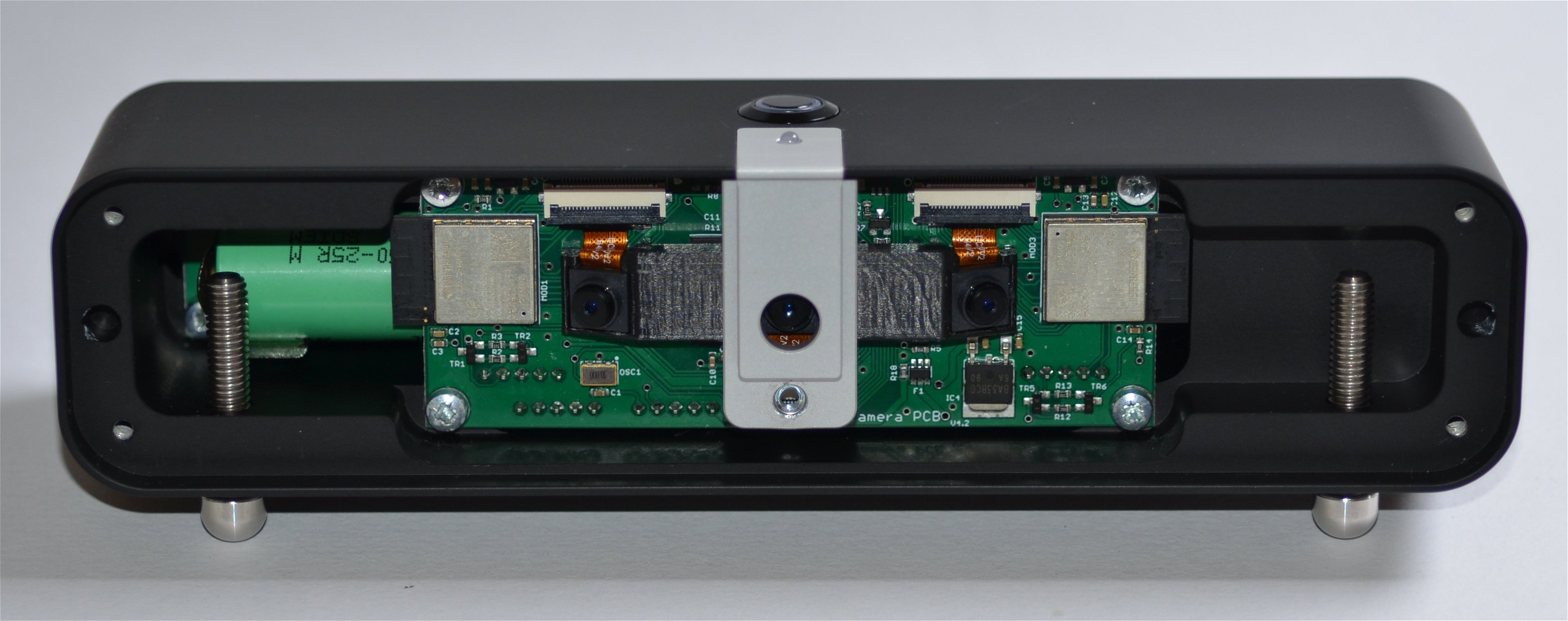
Inside the DPS-SU are three digital cameras and three high speed processors designed to detect your shots.
The acrylic cover on the front of the DPS-SU is not simply a cover - it is transparent to the infrared pulse sent out by the Standard Gun Assembly (SGA) when you press the trigger.

The top of the DPS-SU has an on/off switch and an LED showing the current status of the system.
The back of the DPS-SU has a charging socket and a charging LED (red when charging, green when fully charged.) The other small hole is over an internal microphone that listens for you to call "Pull!".
Main features
- Wire free - no cables to trip over:
The internal LiIon battery may be charged from any USB socket or USB charger plug with a suitable length micro USB cable.
Wi-Fi connection to PC or laptop - no USB connection required.
- Adjustable front feet to set the correct viewing angle.
The DPS-AM provides an alternative mount for DPS.
- Tripod bush for mounting to a camera tripod.
The DPS software generates backgrounds and moving targets which are projected onto a screen or wall using a PC data projector. This gives a very realistic impression of outdoor shooting without the moving lasers used by the DryFire Laser System (DLS).
What does it do?
DPS brings the realistic look and feel of outdoor clay and game shooting into your own home:
- at any time convenient to you,
- using your own shotgun,
- with no travel costs,
- with no cartridge costs,
- with no range fees or clay costs,
- with no need to worry about the weather,
- with accurate feedback after every shot.
- with support for all trap, skeet and sporting disciplines - plus game.
DPS provides intensive practice - 100+ targets every evening is realistic.
DPS will improve your scores if used correctly.
Alternative ways to mount the DPS-SU
From top left, clockwise:
- DPS-SU mounted on a mini tripod
- DPS-SU raised up on its feet
- DPS-SU mounted on the optional DPS-AM: DPS Adjustable Mount

Carved from a solid billet of aluminium!
Each DPS-SU case weighs 500g (0.5kg, 1.1lbs) and is individually machined from a solid billet of aerospace grade aluminium.
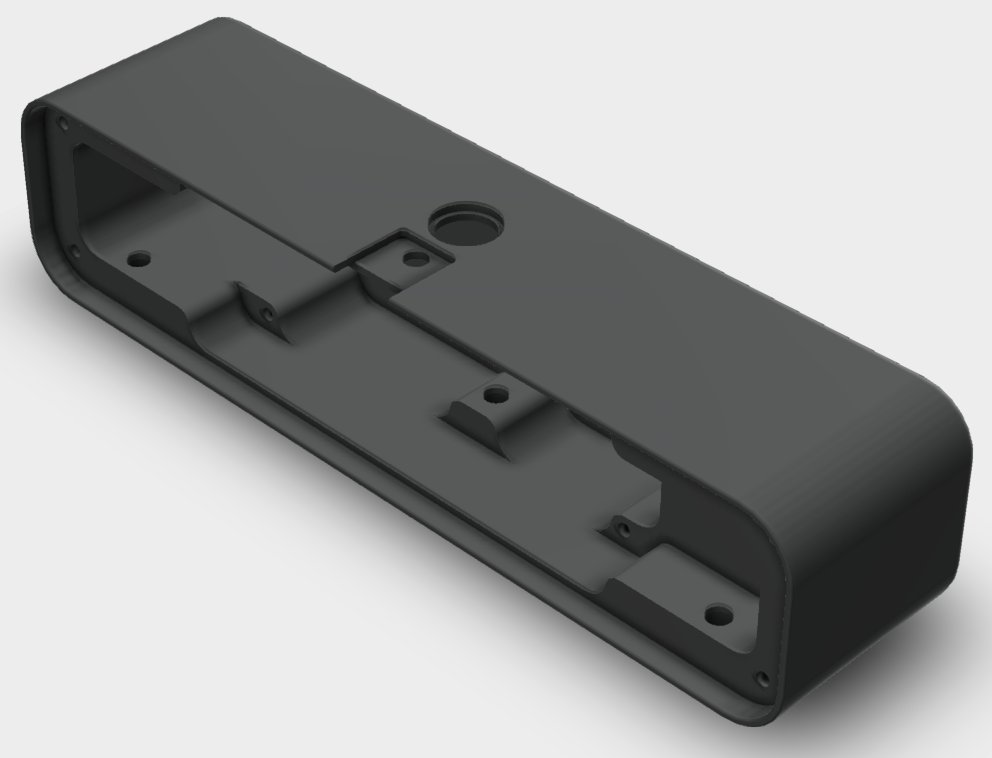
The video below shows the first batch of samples being machined. The samples were quoted for, ordered, paid for and machined within 5 days of raising a Request For Quotation (RFQ) - that is efficient!
For those interested in this sort of thing (we are - because we like making stuff!), our CAD files were optimised so the interior of the case could be cut with a single 10mm cutter - thus avoiding tool changes. The video shows the use of a vacuum "hold-down" to retain the part while it is machined. Lots of coolant means cutting speeds can be increased and the finish is much improved.
After machining the cases are bead blasted then anodised.